PROCESS · AI · CRAFT
How AI Changed My Workflow
In the second half of 2025, I started using AI tools seriously. Now I think deeper, move faster, and rally teams around working prototypes. Three stories about what that looks like in practice.
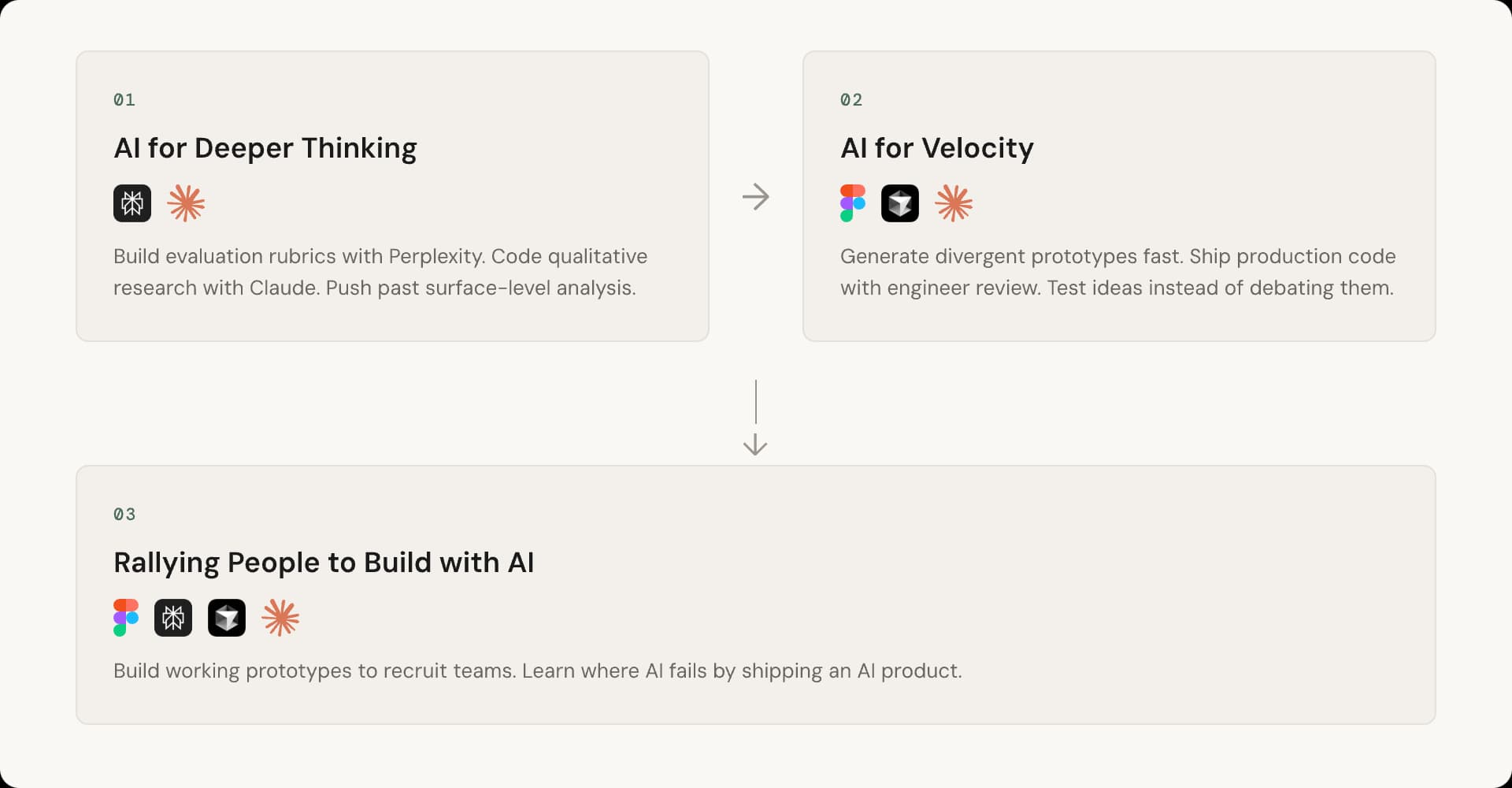
PILLAR 01
AI for Deeper Thinking
Planning with Perplexity as a thought partner
I used Perplexity to research form builders. But I didn't just search and take whatever came back. I asked the AI to generate a rubric for evaluating form builders, then asked it to score each product against that rubric. The AI scaffolded its own evaluation, and I corrected it as we went. This kind of structured back-and-forth turns research into synthesis.
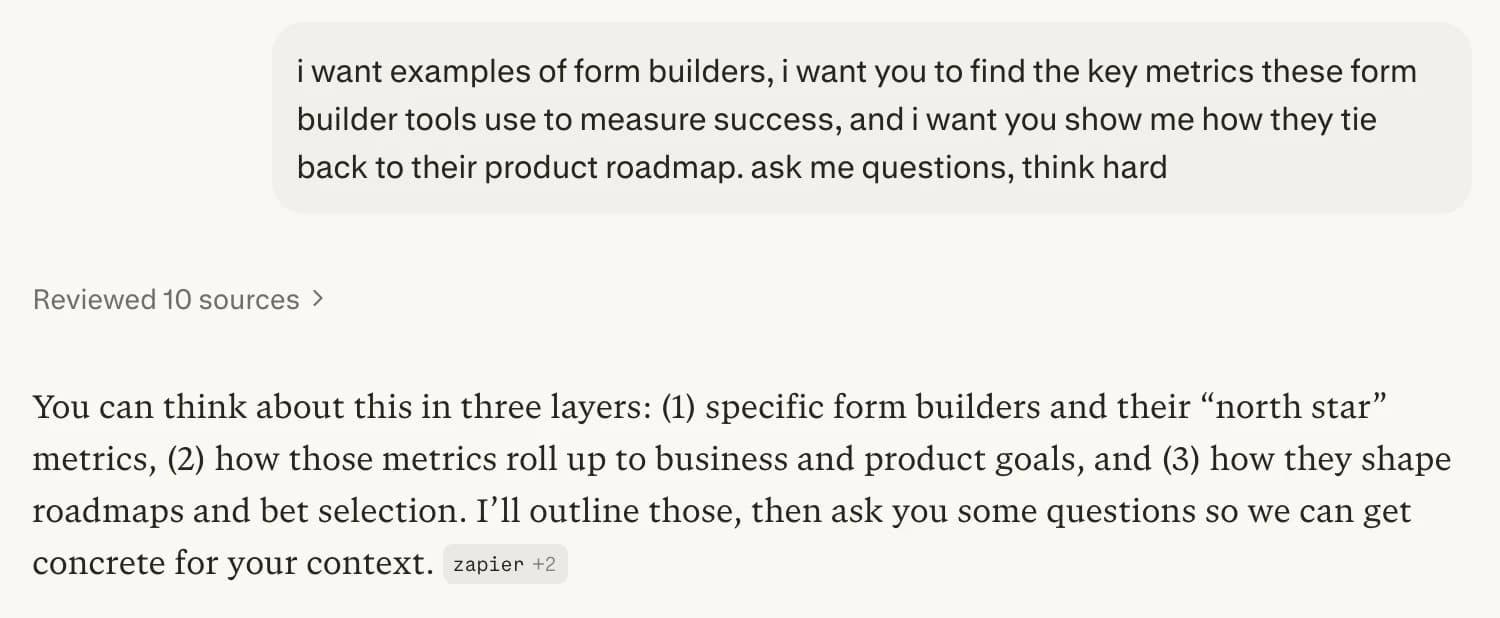
Prompting Perplexity to build its own evaluation rubric.
Deep qualitative research with Claude
For FormSG's Multi-Respondent Forms, I ran 6 research sessions with government form administrators and built custom transcript coding, image analysis and qualitative data synthesis tools with Claude.
These tools encoded my research method, so I could move faster without cutting corners. I added guardrails in the prompts as well as deterministic python scripts to ensure the data was clean and hallucination-free.
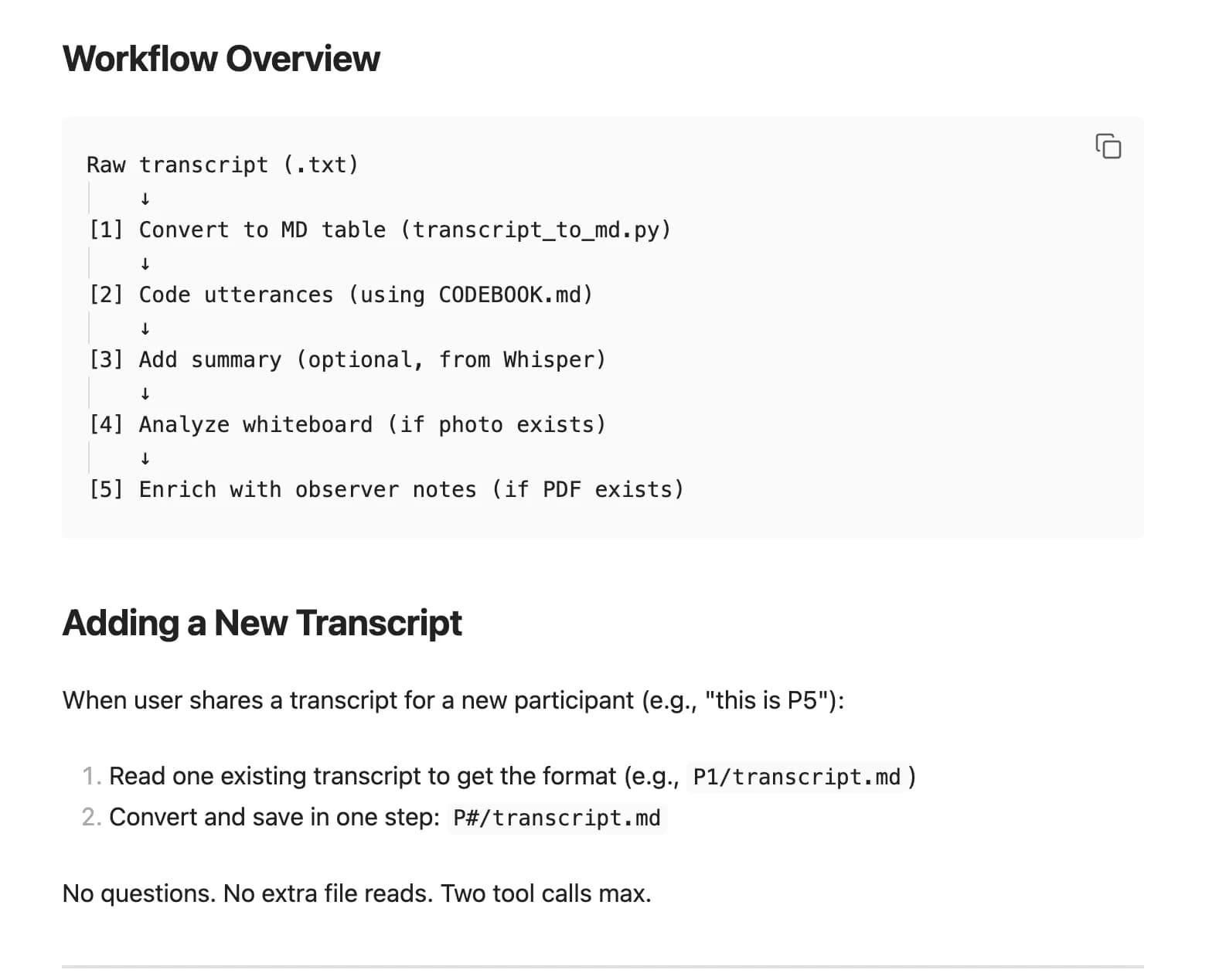
Custom transcript coding workflow built with Claude.
The first pass was shallow. Claude looked at top-level frequency of themes, but missed the connections between them. I had to guide it: what are the second-order effects? What themes feed into other themes?
That's how I found the core insight: admins think process-first, but the product requires data-first. The frequency table showed “FormSG limitations” was the top code. The deeper analysis revealed why: every limitation traced back to that mental model mismatch. 70+ codes across 16 categories, and the real finding only emerged when I pushed past the surface.
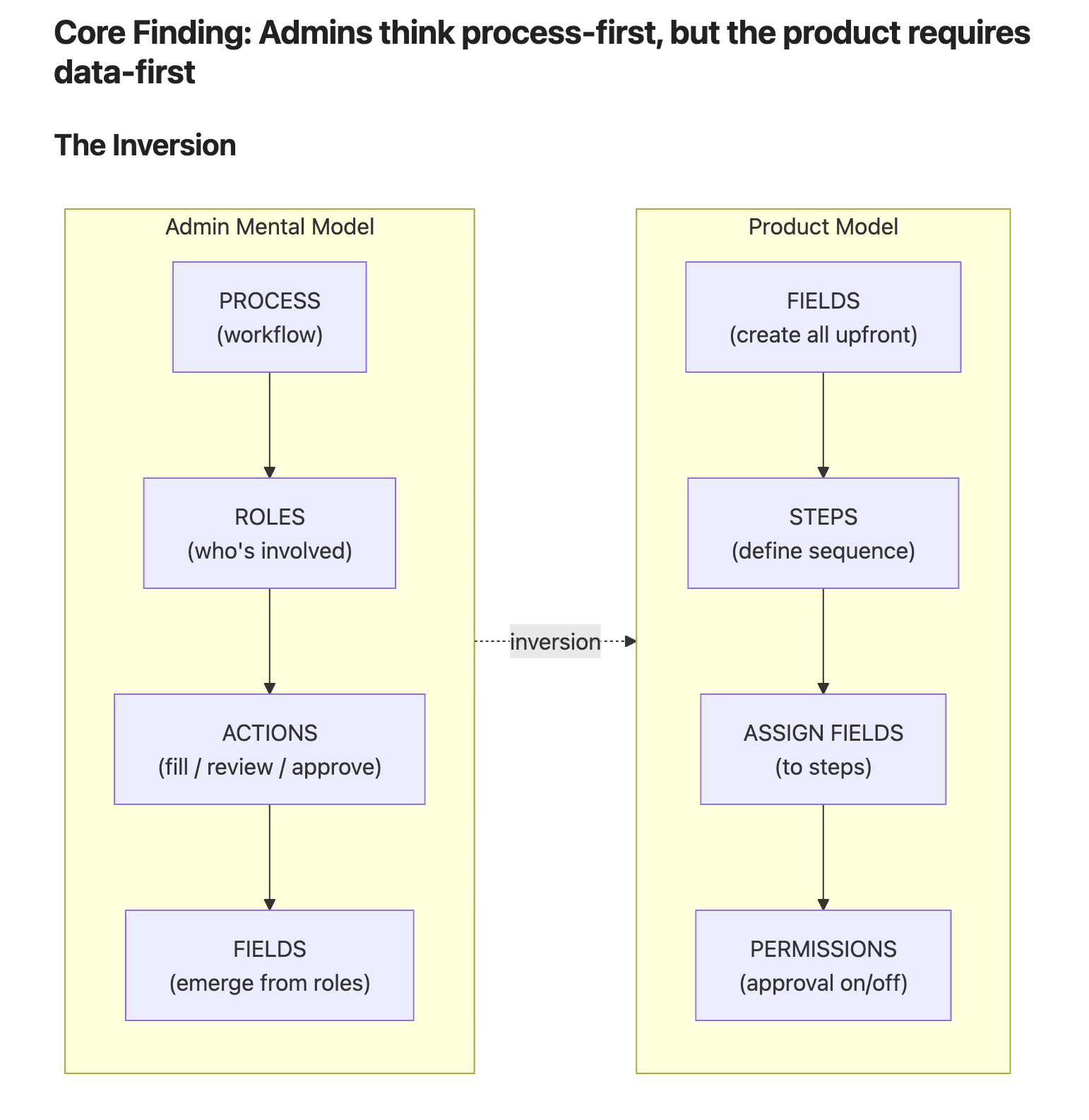
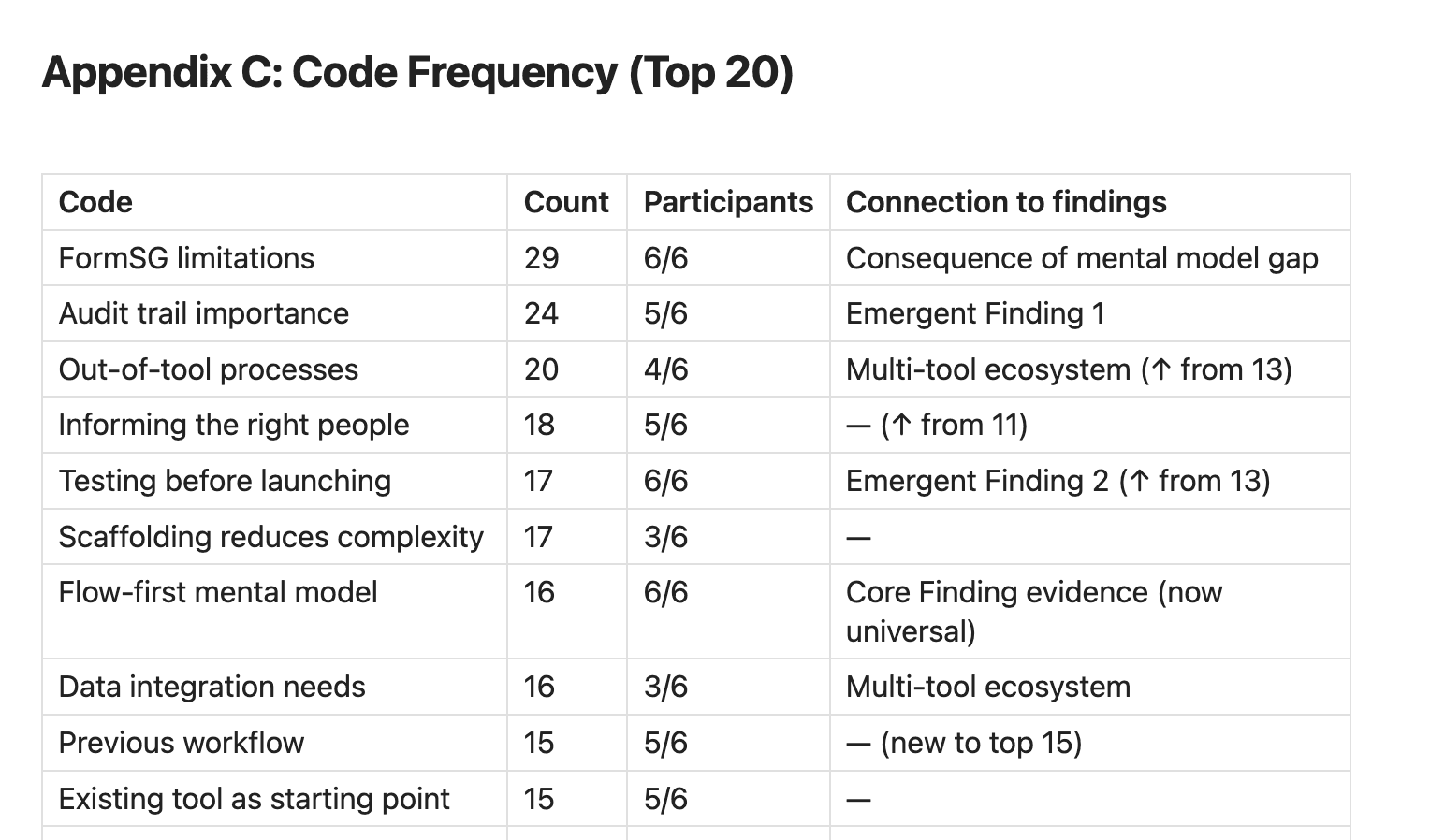
The frequency table was the starting point. The insight came from digging deeper.
PILLAR 02
AI for Velocity
Quick divergent prototyping with Figma Make
We were experimenting with Save Draft for FormSG: local save so respondents could fill in long forms over multiple sessions. I used Figma Make to build 5 working prototypes exploring different interaction models. Five was enough to show the team different possibilities without overwhelming them. They could react to real behavior, not mockups. The conversation shifted from “what should we build?” to “which of these feels right?”
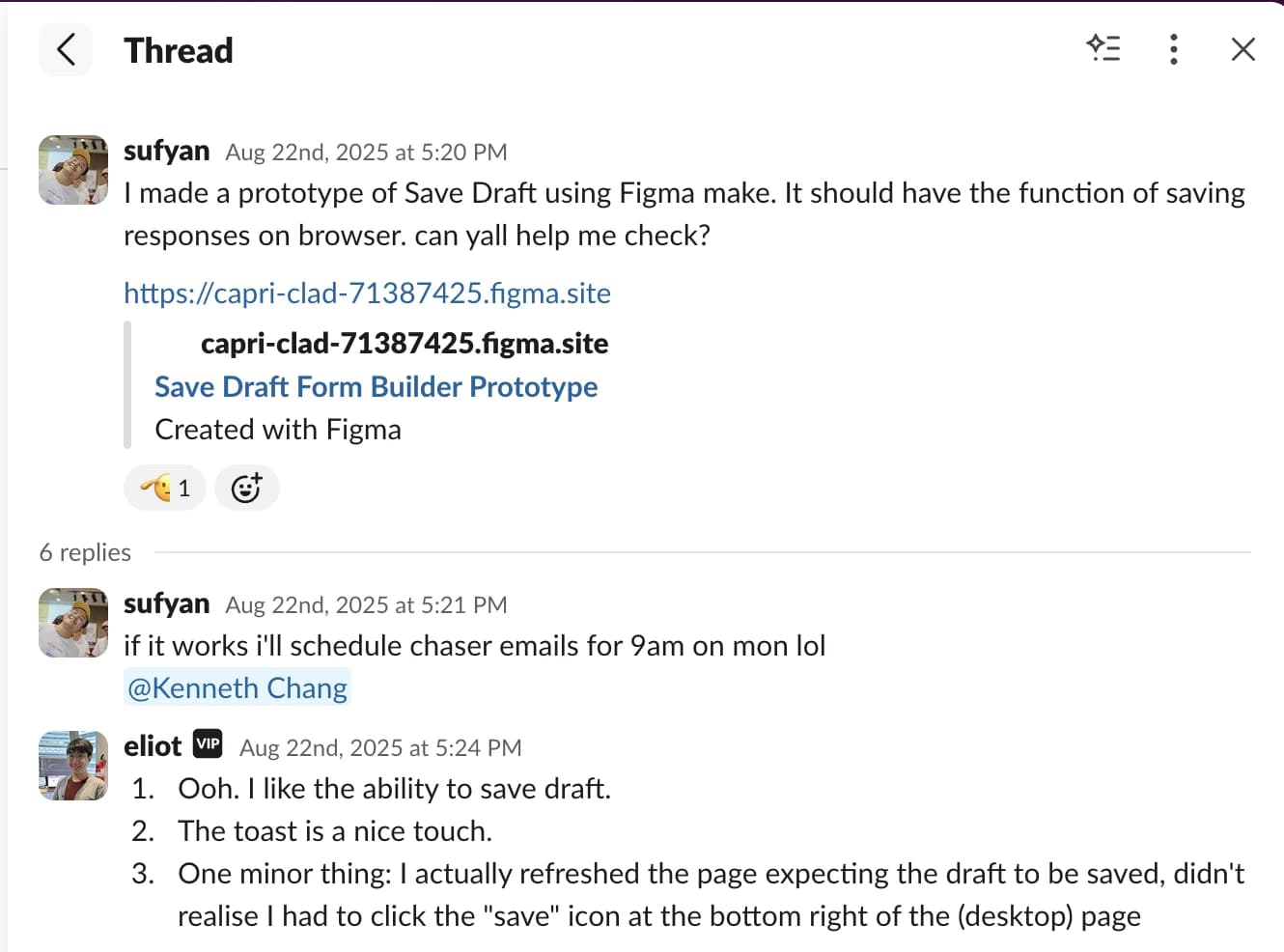
Working prototypes to explore ideas with the team.
Production fixes for product quality with Cursor
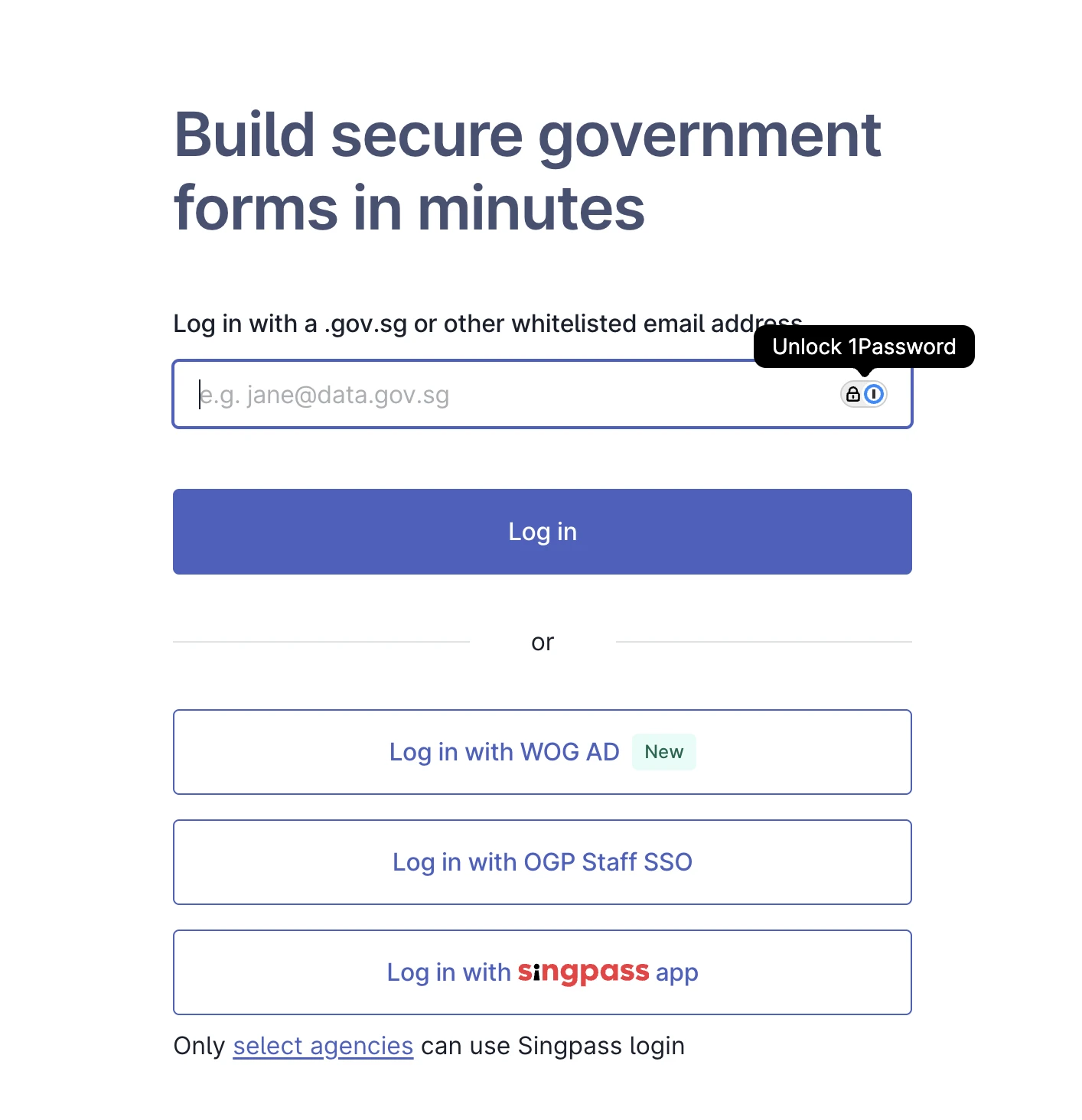
FormSG serves 160 Singapore government agencies. The login page was four buttons stacked vertically with “OR” between each one. Same layout on desktop and mobile. The engineer's judgment was to ship it as-is.
I pushed back. Mobile users are more likely to use Singpass, the national authentication app on their phones. Desktop users are more likely to use email OTP. Different contexts, different layouts. I built the fix with Cursor, tested it across breakpoints, and opened a PR. The engineer reviewed and approved it.
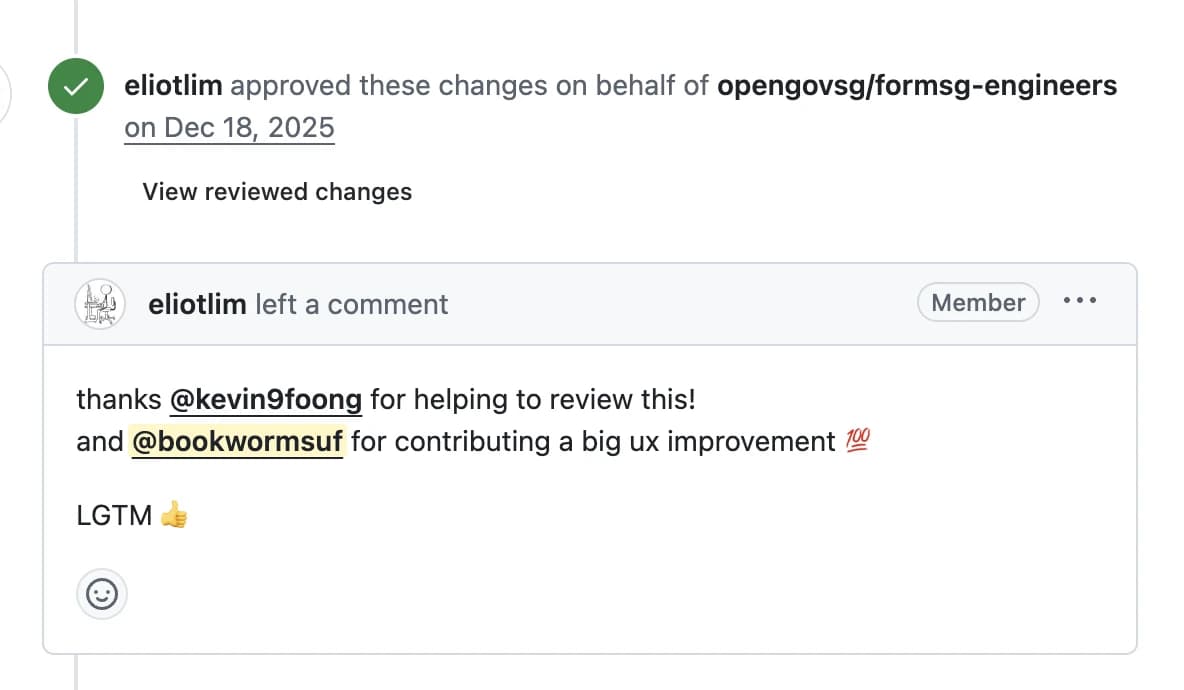
Shipping code with engineer review.
We worked through it together. I showed him why context matters for login UX. He taught me about React hooks and code review standards. Both of us came out better.
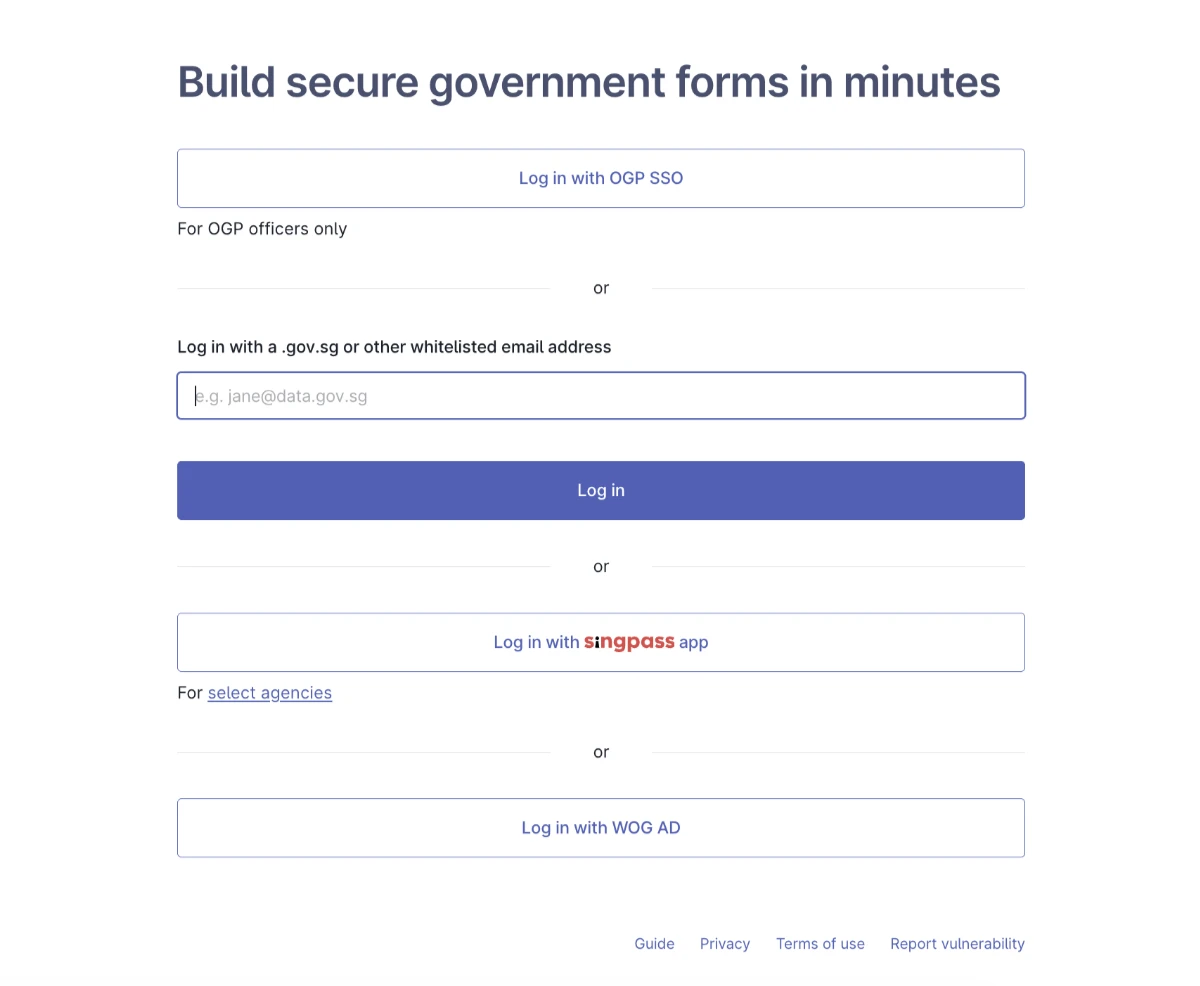
Before
After
PILLAR 03
Rallying People to Build with AI
Recruiting with a working prototype
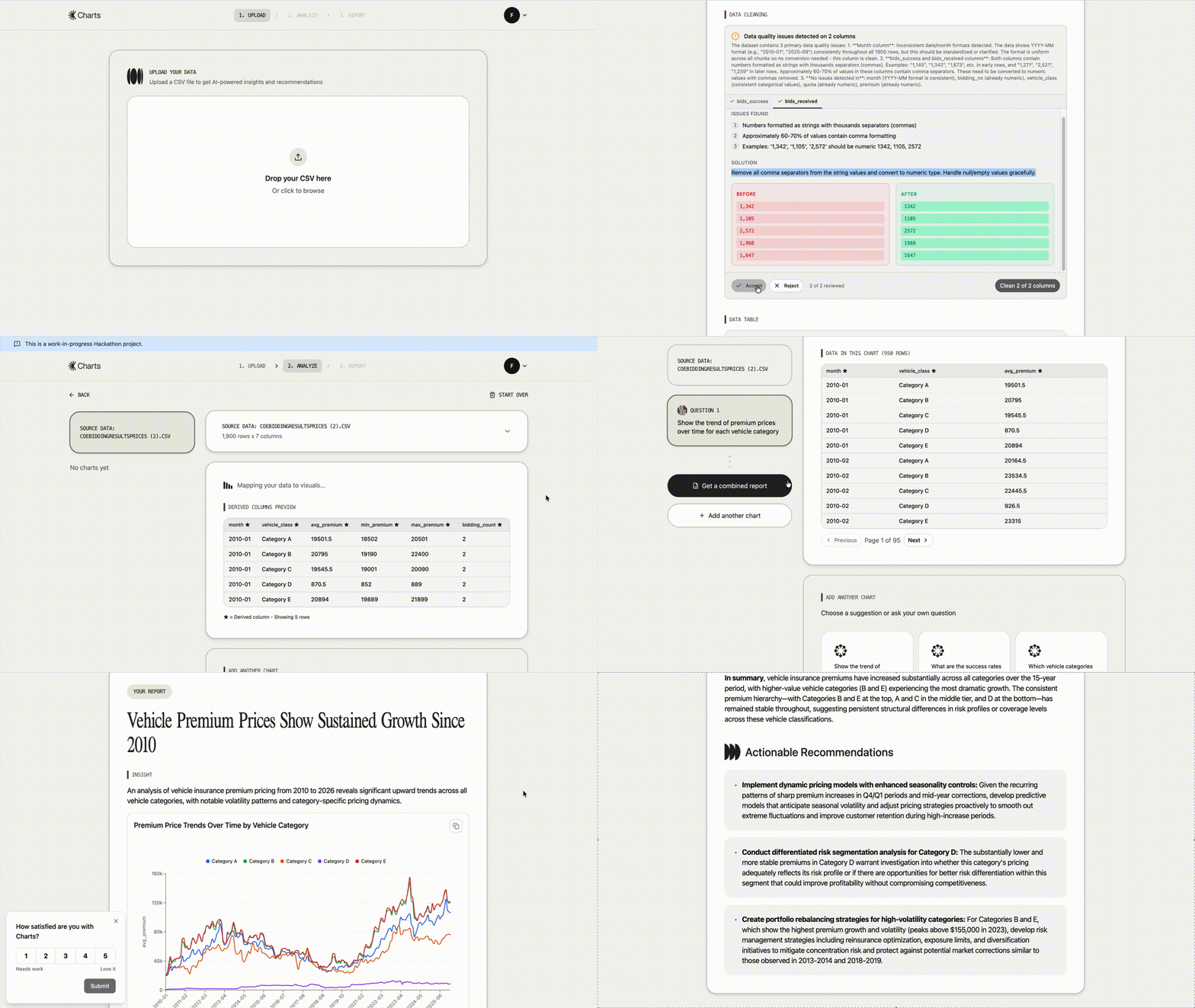
I led an 8-person hackathon team as PM, Lead Designer, and Team Lead. We built Charts, an AI tool that turns data into insights and recommendations. The problem: officers could make charts in Excel, but got stuck at “so what should I do about this?”
A working prototype rallies people faster than a pitch deck. I built the React frontend with Cursor and Claude, then used it to align the team on what we were actually building.
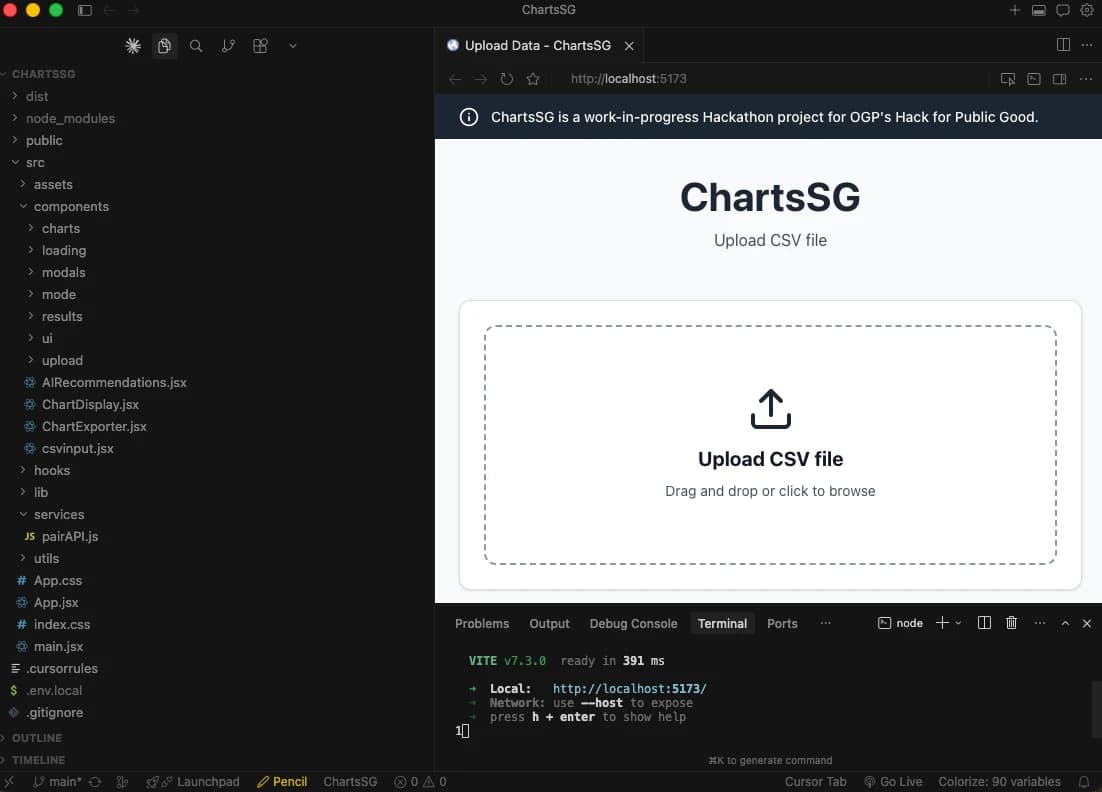
Quick prototype using Cursor to share my vision
Learning where AI fails
Building an AI product taught me where AI fails. It hallucinates. It gets data cleaning wrong. It gives confident answers to questions it shouldn't answer. The question became: what tools, scripts, and human checkpoints make AI-assisted processes actually trustworthy?
Our answer: deterministic UI wrapping probabilistic AI. Structured steps at every stage. Upload data, select columns, choose mode, enter prompt, review chart, get recommendations. Each step is explicit. Users can check the AI's work before moving forward. We added a “How did we get here” feature that shows calculation logic. 9 out of 12 users said this made them confident the AI wasn't just making up numbers.
“Oh my gosh. So when can we actually start using it?”
One of five officers who asked this after seeing the tool generate their report
The project was greenlit to continue under the Data.gov.sg team.
Why This Matters for Design's Future
Depth over decoration
AI handles production work faster than ever. The designers who stay relevant are the ones who can think deeply about problems: understand systems, spot edge cases, push past surface-level analysis.
Speed to learn
New tools, new patterns, new constraints. The pace of change rewards people who can pick things up quickly and adapt their workflow. I rebuilt how I work three times in 2025. That flexibility compounds.
Building trust in AI
AI hallucinates. It gives confident answers to questions it should not answer. Designers who understand how to build guardrails, human checkpoints, and transparent systems will shape how AI products actually work.
From mockups to code
The gap between design and implementation is shrinking. Designers who can prototype in code, test ideas directly, and ship fixes themselves move faster than handoff-dependent workflows allow.